







See how your customers will order
Go through the whole process like a customer would: photo selection, cropping, delivery and payment. No registration, nothing to install — and test orders cost nothing.
Basic demo
Classic photo print ordering — with photo cropping plus print size and paper type selection.
Place a test orderDemo with photo products
Everything from the Basic version, plus photo product ordering: calendars, mugs and photo books.
Place a test orderThe demo is anonymous — no account or card required. Test orders are not fulfilled.
Select photos
Upload sample photos from your computer or phone — your real files are fine.
Crop
Try the online cropping tool with a live preview of what the print will look like.
Choose delivery
Test the delivery options — courier delivery or personal pickup at the lab.
View payments
See what the payment method selection looks like. In the demo, payments run in test mode.
What to look out for during the test?
Responsiveness
Open the demo on your phone and on your computer — the interface automatically adapts to the screen size.
Speed
Notice how quickly photos load and how smoothly cropping works — even large files are processed fast.
Real-time cropping
The live preview shows exactly what the print will look like — no more disappointment over unexpectedly cropped photos.
Automatic price calculation
Every change — adding a photo, size, quantity — updates the price instantly. The customer always knows what they will pay.
Delivery selection
In the delivery step the customer sees the available delivery options and picks the most convenient one.
Payment security
In the demo, payments run in test mode. In the real system they are handled by reputable operators such as PayPal — with full security.
Test it directly on your phone
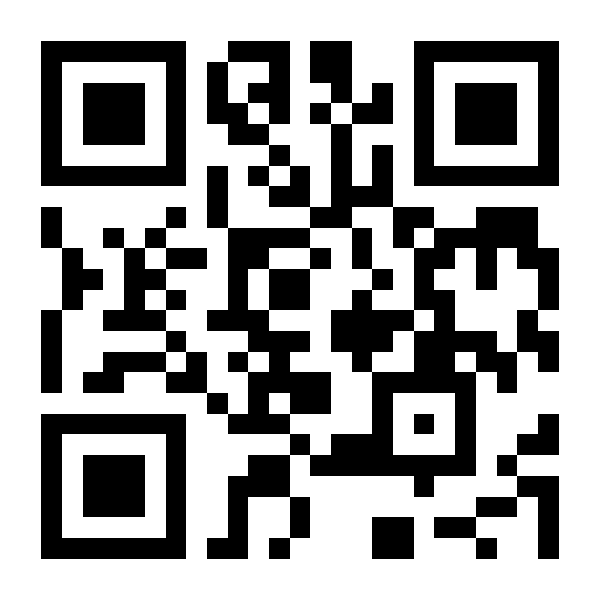
Scan the QR code with your camera and place a test order from your phone — exactly like a customer who gets your poster or business card with the code.
You can also type this address into your browser: app.foto.guru/ppy
Scan with your camera
What happens after you place a test order?
You receive an email confirmation
Right after placing the order you get a confirmation email with:
- the order number,
- a list of ordered prints with prices,
- the selected delivery method,
- the total amount to pay.
You see the order in the panel
As the photo lab owner, you see the order in the admin panel:
- a list of all photos to print,
- one-click download of the files as a ZIP,
- customer and delivery details,
- payment status.
Important: it's only a demo!
Test orders are not fulfilled and do not generate any costs. If you want to start accepting real orders, register your photo lab for free.
Want to see the admin panel?
After testing the ordering flow, it's worth seeing how order handling looks from the photo lab owner's perspective. Register a free account — for 30 days you can test the full version with your own price list and settings.
Register and see the panelOrder list
All orders in one place, with filtering by status, date and payment.
File download
One click downloads a ZIP with photos sorted by size and quantity.
Price list settings
Print prices, paper types and volume discounts — all without a developer.
Statistics
Revenue, number of orders and prints, sales charts — at your fingertips.
Frequently asked questions about the demo
Do I need to register to try the demo?
No! The demo is completely anonymous and requires no registration. Simply click the "Place a test order" button and start testing.
Can I use my real photos for the test?
Of course! You can upload any photos from your computer or phone. After the test the files are automatically deleted and are not stored.
Can I test payments in the demo?
Payments in the demo run in test mode, but you will see the payment method selection interface. In the real system you can enable PayPal or payment on pickup.
How many times can I try the demo?
No limits! Place as many test orders as you like. Test different scenarios, print sizes, delivery options — all without restrictions.
Does the demo show all system features?
The demo shows the ordering process from the customer's perspective. To see the full capabilities (admin panel, settings, integrations), register a free account — you have 30 days to test the full version.
Can I adapt the system's appearance to my brand?
Yes! In the PRO version you can add your own logo, customize the texts and run the system on your own domain. The demo uses the default look.
What is the difference between the Basic demo and the photo products demo?
The Basic demo shows classic photo print ordering. The demo with photo products additionally lets you order products such as calendars, mugs and photo books.