








For years, the self-service photo kiosk was the obvious upgrade for a photo lab: a touchscreen station in the corner of the shop where customers plug in a memory card or phone and order prints without occupying your staff. Kiosk platforms are a mature industry - the largest vendors count their installed bases in the tens of thousands of units.
Today the same self-service idea has a second form: an online ordering system that runs in the customer’s own browser, on their own phone. Same goal - customers build their own orders - but very different economics.
If you’re deciding where to invest, here’s an honest comparison from a company that, full disclosure, makes online ordering software (and not kiosks).
What Each One Actually Is
A photo kiosk is dedicated hardware in your store: touchscreen, card readers, phone connectors, often a receipt printer, running kiosk software connected to your lab workflow. Customers order in-store, on your premises, during your opening hours.
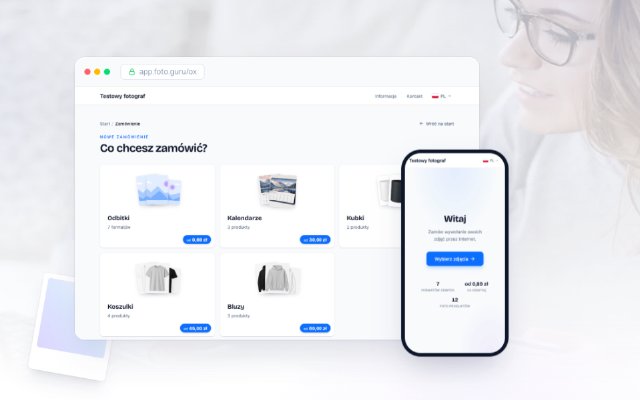
An online ordering system is a web store for prints and photo products. Customers open your link on their phone or computer, upload photos, crop them, pay online, and choose pickup or delivery. No hardware in your shop beyond what you already have. (This is what Foto.Guru does.)
The Comparison That Matters
| In-store kiosk | Online ordering | |
|---|---|---|
| Upfront cost | Hardware + software (typically thousands of EUR/USD per station) | None to low (subscriptions from a few EUR/month) |
| Ongoing cost | Maintenance, parts, software licenses | Flat subscription or commission |
| Floor space | Dedicated spot in your store | None |
| Capacity | One customer per station at a time | Unlimited parallel customers |
| Availability | Opening hours only | 24/7, including evenings and weekends |
| Customer location | Must come to the store | Anywhere |
| Photos from phones | Via cable/WiFi transfer at the kiosk | Direct from the phone’s gallery |
| Hygiene / queues | Shared touchscreen, queues at peak times | Each customer uses their own device |
| Staff involvement | Helping confused customers at the machine | Mostly none |
| Impulse walk-in sales | Strong - catches people already in the store | Weak - customer must know your link |
| Instant printing | Yes, with connected printers | No - orders arrive for later fulfillment |
Two rows in that table decide most cases: capacity and availability. A kiosk serves one customer at a time, during business hours, after they’ve traveled to you. An ordering link serves any number of customers simultaneously, at 10 pm on a Sunday, from their couch. When we looked at the biggest problems photo studios face, most of them - phone interruptions, order errors, “is it ready yet?” calls - shrink when ordering moves to a self-service online channel.
The Real Costs of a Kiosk
Kiosk economics are worth spelling out, because the sticker price is only the start:
- Hardware: the terminal itself, card readers, connectors for a changing zoo of phone ports, plus a receipt printer. Budget thousands per station, and expect hardware refreshes as connectors and screens age.
- Floor space: the kiosk occupies prime retail space that could display products or house a photo-booth corner.
- Maintenance: touchscreens fail, readers wear out, software licenses renew. Somebody has to update it, and that somebody is you or a paid technician.
- Throughput ceiling: on your busiest Saturday, the kiosk is exactly as fast as your slowest customer. Everyone else waits behind them - or leaves.
- Hygiene expectations: since 2020, a fair number of customers simply prefer not to use shared touchscreens when a personal-device option exists.
None of this is fatal if the kiosk earns its keep. The question is whether yours does - which brings us to the cases where it genuinely can.
When a Kiosk Still Makes Sense
Kiosks persist because they solve problems online ordering can’t:
- High walk-in traffic. If your shop sits in a mall or busy high street, a kiosk converts people who are already inside and want prints now. An online link can’t catch that impulse.
- Instant fulfillment. Kiosk + connected printer = prints in minutes while the customer shops. Online orders are, by nature, for later.
- Customers without smartphones or confidence online. Some demographics will always prefer handing over a memory card or using a machine with staff nearby to help.
- Media that isn’t on a phone. SD cards from real cameras, USB sticks, old CDs - a kiosk with readers handles them on the spot.
- You already own one. A paid-off, working kiosk costs little to keep. The math of keeping a kiosk is completely different from the math of buying one.
If several of these describe your lab, the answer probably isn’t kiosk or online - it’s both, with each channel doing what it’s good at.
When Online-First Wins
Skip the kiosk (or don’t replace the dying one) when:
- Most of your customers’ photos are on their phones - which, for consumer customers, they are.
- Your orders don’t need instant in-store printing; same-day or next-day pickup is fine.
- You’d rather spend a few euros a month than a few thousand upfront - compare a kiosk quote with an online system’s pricing over three years.
- Your staff already spends too much time walking customers through a machine.
- You want to sell beyond walking distance: online ordering plus courier or parcel-locker delivery turns a neighborhood lab into a regional one.
An online system also improves order quality in a way kiosks struggle to: customers crop their photos themselves on their own screen, at their own pace, so files arrive print-ready and disputes about cut-off heads disappear.
The Hybrid Setup (Including the Cheap One)
The most practical configuration for many labs in 2026:
- Online ordering as the primary channel - promoted on your receipts, your door, your Google profile. It handles evenings, weekends, repeat customers, and deliveries.
- An in-store station for walk-ins - and here’s the trick: it doesn’t have to be a kiosk. A tablet or any PC in your store, opened to your own online ordering page, serves walk-in customers with the exact same flow. No kiosk software, no license, no special hardware. Staff can assist when needed.
- A real kiosk only if instant printing or card-reader traffic justifies it - in which case turnkey kiosk platforms (dakis, Photo Finale and others - see our ROES alternatives overview) are the established route.
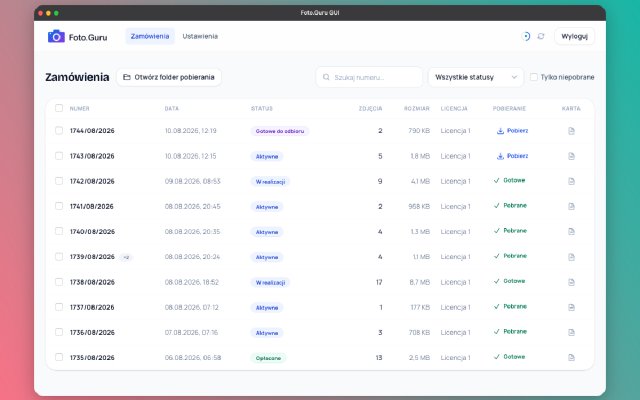
The “tablet as soft kiosk” approach costs you one consumer tablet and covers a surprising share of what labs buy kiosks for - while every order lands in the same admin panel as your online orders. One queue, one system, no double bookkeeping.
A Migration Path That Doesn’t Scare Customers
If you’re moving from kiosk-centric to online-first, do it gradually:
- Launch the online channel quietly and test it end to end - upload, cropping, payment, pickup notification. A demo or free trial makes this risk-free.
- Put the link where customers already are: a sign next to the kiosk (“skip the queue - order from your phone”), a QR code on the counter and on receipts, your Google Business profile.
- Let the channels compete for a few months. Watch where volume goes. In our experience, once customers try ordering from their own phone, 70-80% stay with it.
- Decide about the kiosk with data. Keep it if walk-in and instant-print volume holds; retire it (or downgrade to the tablet setup) if it doesn’t - and reclaim the floor space.
Your regulars keep their habits during the transition, and nobody is forced to change on day one.
The Bottom Line
- Kiosk: strong for impulse walk-ins, instant printing, and offline media - at the price of hardware, space, maintenance, and a one-customer-at-a-time ceiling.
- Online ordering: 24/7, unlimited capacity, no hardware, mobile-native, and reaches customers who never enter your shop - but it can’t print while they wait.
- Most labs’ best answer: online-first, with a modest in-store station (tablet or existing kiosk) for walk-ins.
You can test the online half of that equation this week, without buying anything:
Start your free 30-day trial →
Wondering whether online ordering fits how your lab works? Check the FAQ or see the demo - and if you’re comparing against a kiosk quote, do the 3-year math on both.