







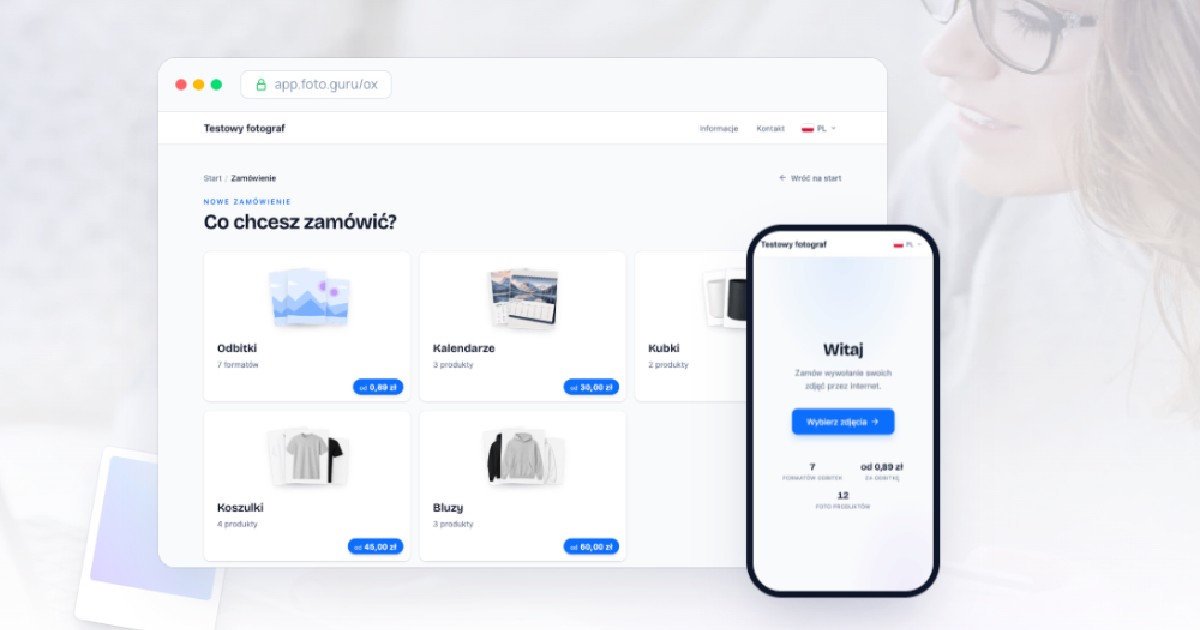
We are releasing a new version of the page your customers use to place orders. It has been designed from the ground up to make working with large numbers of photos easier, to improve the experience on phones, and to give photo stores more configuration options.
Here is an overview of the most important changes.
A look that matches your brand
The page settings now include an “Ordering appearance” section. There you can pick a primary color, and the system automatically builds a consistent color palette for the whole interface around it.
Changes are instantly visible in the preview, so it is easy to match the page to your store’s visual identity.
PRO license users can also enable a panel behind the welcome text. It improves readability, especially when a custom background image is used.
Custom thumbnails and descriptions for print formats
Print formats can now have their own thumbnails, just like photo products. The feature is available in the PRO license and lets you replace the standard illustration with your own photo.
You can also add a short description to each format, shown directly on its selection tile. It is a good place to highlight the format’s key characteristics or suggest what it is best suited for.
Automatic photo quality checks
The new page can tell your customers whether an uploaded file has sufficient quality for the selected print format. The rating is shown next to each photo and can work in one of two ways:
- based on the DPI resolution calculated for the actual print dimensions,
- based on minimum image dimensions defined individually for each format.
In DPI mode the customer sees one of four quality levels — from low to excellent. If your store uses its own criteria, you can set the minimum file dimensions yourself. The feature can also be turned off entirely.
More cropping options
The cropping settings now include a “Yes, but optional” variant. The customer sees the proposed crop but does not have to confirm or adjust it. If they leave the photo untouched, the store receives the full file and can crop it on their own.
There is also a mode where cropping happens only in the editor, without the ability to move the crop directly on the thumbnail.
The editor itself now lets you move between photos without closing the window. This significantly speeds up preparing orders that contain a large number of files.
Custom messages for white border and full frame
When a customer enables the white border or full frame option, an additional message can be displayed. Its content is defined by the store, and the message appears once during the ordering process.
This makes it possible to explain how the print will be produced or to point out details that matter for a specific offer.
An expanded cart in all licenses
Adding multiple items to a single order is now available in every license. A customer can, for example, combine prints in different formats and on different paper types — all within one cart.
Stores using the separately paid Photo Products add-on can, as before, combine prints with the available photo products as well.
A single order can contain up to ten items.
Smooth handling of large photo sets
The photo list has been optimized for large orders. The crop preview on thumbnails is now much lighter, so the page stays responsive even with several hundred files.
Crops can still be adjusted with a mouse or a finger. The mechanism underneath has changed, but the way it is used remains natural and intuitive.
More convenient ordering on the phone
The mobile interface has been adapted to the way customers use websites today:
- the welcome screen uses the entire screen area,
- the bar with the order total and the go-to-cart button stays visible while scrolling,
- cart items are presented in a clearer layout,
- the most important actions are easier to reach on smaller screens.
The new page for all stores
The new ordering page will be launched for all stores at the same time on August 19. The switch will happen automatically, requires no action on your side, and the addresses of the ordering pages will remain unchanged.